



Video editing can take hours when you have lots of clips to sort, cut, and arrange.
AI can make this easier by turning simple instructions into a basic video draft.
A ChatGPT video editor workflow with CapCut × Codex can help organize clips and prepare a rough cut for further editing.
What Is a ChatGPT Video Editor?
A ChatGPT video editor is best described as an AI-assisted editing workflow that uses natural language to communicate what you want to create or change. Instead of providing every editing instruction via buttons and menus, it is better to define the desired outcome. For example, you might ask for a short video using the best moments from several clips, a faster pace, or a specific video length.
The AI can then help with planning and early editing. The final result still needs human review because video editing involves choices about timing, story, sound, and visual style.
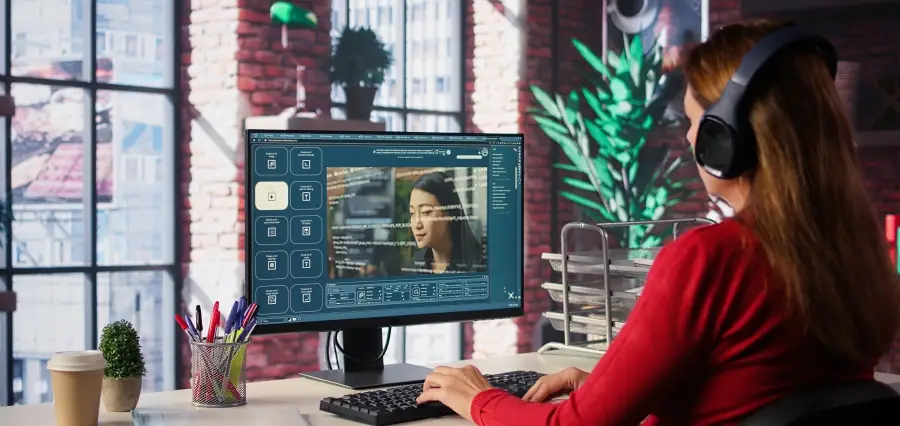
CapCut × Codex follows this idea by connecting conversational instructions with CapCut’s editing environment. The workflow can take uploaded footage, identify useful parts, remove unwanted sections, and arrange selected clips into an editable first cut.
How AI Video Editing Works
The basic process is fairly simple.
Start With Your Footage
The first thing to do is provide the clips you wish to utilize. They could include footage from an excursion, promotional videos such as tutorials, interviews, videos from social media, and other videos. Explain what you’d like your final video to look like. Your instructions could include the length you prefer and order of scenes, pacing, as well as the kind of content that deserves more attention.
Clear instructions can help the AI understand the editing goal before it starts working with the footage.
Let AI Review the Clips
AI is able to scan lengthy videos and select relevant moments which will save you time manually selecting clips. It is then possible to review your selections and save the ones which best fit the video.
Build an Editable First Cut
After reviewing the footage, the workflow can arrange selected sections into a rough timeline.
It’s helpful because the initial cut provides you with an idea of what you can work with. You will be able to see how parts fit together, which areas it feels like the video is running too slowly and what parts might have to be cut out. CapCut describes the resulting draft as editable, so users can continue changing the clip order, timing, structure, captions, and other creative details.
What Can You Use AI Video Editing For?
Social Media Videos
Short videos often need quick pacing and a clear structure. AI can help sort through longer recordings and prepare a shorter version that is easier to review.
Creators can then adjust the opening, remove slow sections, and make the video fit the platform they plan to use.
Tutorials and Explainers
Tutorials often contain sections that can be shortened or rearranged. An AI workflow can help prepare the basic structure from available footage.
The creator can then check that each step appears in the right order and that the explanation remains easy to follow.
How to Get Better Results From AI Video Editing
Give Guidelines
Avoid vague requests such as “make a good video.”
Instead, explain the purpose, target length, important scenes, preferred order, and format. A simple instruction can mention that the video should be short, use the strongest moments first, and remove repeated or unnecessary footage.
Tell AI What Matters
If there is an important product, person, scene, or message, mention it clearly.
This gives the workflow a better idea of what should receive attention during the editing process.
Review the First Draft
Never assume the first AI-generated edit is the final version.
Watch the complete video. Check every cut, caption, audio section, and scene transition. A few manual changes can often make the difference between a basic draft and a video that feels properly edited.
ChatGPT Video Editing vs Traditional Editing
Traditional editing gives you direct control from the start. You open the timeline, review your clips, make selections, and build the sequence yourself.
AI-assisted editing changes the starting point. This can be especially useful for beginners or creators who produce videos regularly. Experienced editors can also use it to reduce repetitive work.
The two approaches do not have to compete. AI can handle part of the preparation while the creator handles the decisions that require taste and context.
The Future of AI Video Editing
AI video editing is moving toward workflows where planning and editing work together.
Instead of using AI only to generate individual effects or clips, creators can use natural-language instructions to explain an entire editing task. The system can help organize source material and prepare a first version, while traditional editing tools remain available for detailed changes.
CapCut’s current ChatGPT-related pages describe this direction through planning, source-clip organization, editable rough cuts, captions, and final refinement.
The main benefit is not removing the editor from the process. It is reducing the amount of repetitive work between raw footage and a usable first draft.
Conclusion
A ChatGPT video editor workflow can make video production easier by helping with footage review, scene selection, rough cuts, and other repetitive tasks. CapCut × Codex shows how natural-language instructions can be connected with an editable video workflow.